Docuspeak

iPhone · Free · No ads

The reading you never get to, read to you.

A voice with real rhythm and phrasing — not the flat one your phone reads notifications in. Docuspeak turns PDFs, EPUBs and anything you paste into speech, entirely on your device. Start a paper on the walk to work, finish a chapter while you cook.

On the Origin of Species Heart · 0.9×

It is interesting to contemplate an entangled bank, clothed with many plants of many kinds, with birds singing on the bushes, with various insects flitting about, and with worms crawling through the damp earth, and to reflect that these elaborately constructed forms, so different from each other, and dependent on each other in so complex a manner, have all been produced by laws acting around us.

There is grandeur in this view of life, with its several powers, having been originally breathed into a few forms or into one; and that, whilst this planet has gone cycling on according to the fixed law of gravity, from so simple a beginning endless forms most beautiful and most wonderful have been, and are being, evolved.

Screen off, still reading

How it works

Bring a document. Press play.

Import a PDF or EPUB, share one to Docuspeak from any app, or paste text straight from the clipboard. Everything after that happens on the phone in your pocket.

A voice you can listen to for an hour

Most read-aloud tools hand you the same clipped voice your phone uses to announce notifications — fine for a sentence, exhausting for a chapter. Docuspeak uses a neural speech model with real rhythm and intonation. Voices this good normally run on someone's servers, with your documents sent up to them; this one runs on your iPhone.
It reads the document, not the furniture

Academic PDFs are full of things you never want spoken: running headers, page numbers, citation clutter, reference lists. Docuspeak types every block as it imports and leaves the furniture out — and keeps a log of what it skipped, so you can read any of it back.

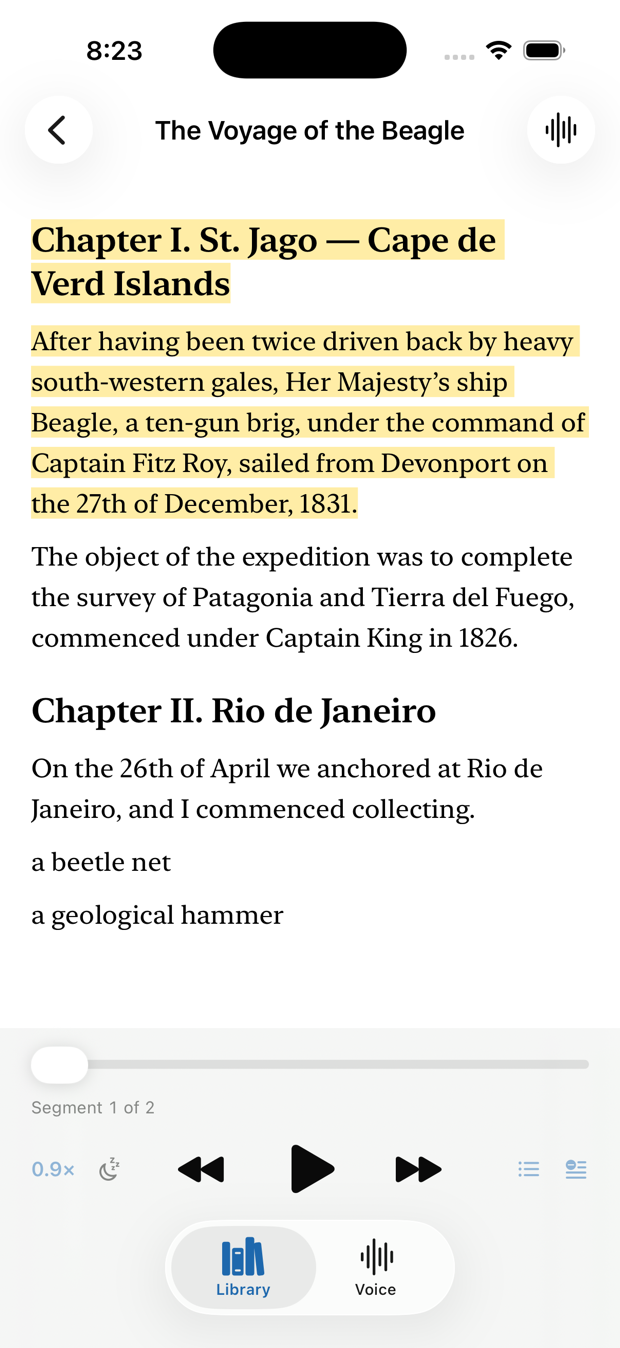
The sentence lights up as you hear it

Follow along on screen, or lock the phone and listen like a podcast. Playback carries on with the screen off, with lock-screen controls, a sleep timer, and speeds from slow to brisk.

Nineteen voices, seven languages

Nineteen distinct voices, not one voice pitch-shifted: American and British English, French, Spanish, Italian, Portuguese, Chinese, and Hindi, including an Indian-accented English. Preview any of them before choosing, and change your mind mid-chapter. All built in, all working in airplane mode.

Pick up exactly where you stopped

Close the app mid-paragraph, come back tomorrow, and the document is waiting on the same sentence. Your library keeps its place across every document you're part-way through.

The Docuspeak reader showing a chapter of The Voyage of the Beagle, with the sentence currently being spoken highlighted in amber.
The reader, mid-sentence. The highlight tracks the voice.
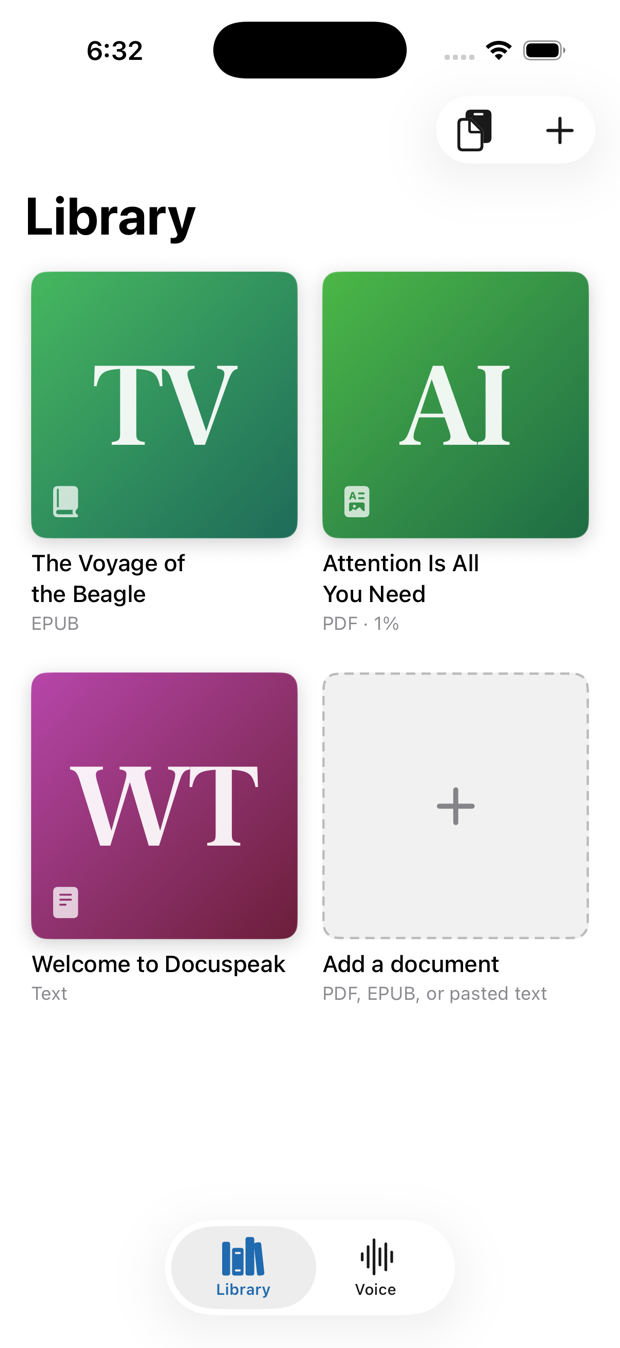
The Docuspeak library showing document cards for an EPUB, a PDF and a text document, with an add-a-document card.
Your library. PDFs, books, and pasted text side by side.

Privacy

Your documents never leave your phone.

This isn't a policy choice we could quietly reverse — it's how the app is built. The voice is a neural model that ships inside the app and runs on the phone's own silicon.

  • No servers. Your files are never uploaded, because there is nowhere to upload them to.
  • No account. Nothing to sign up for, no email required to use the app.
  • No tracking. No analytics SDKs, no advertising identifiers, no third-party code watching you read.
  • No ads. Not now, not later — audio ads interrupting your own documents would be absurd.
  • Works offline. Turn on airplane mode and everything still works, which is the simplest proof of all of the above.

Read the full privacy policy.

Early access

Coming to the App Store.

Docuspeak is being finished with a small group of readers working through real papers and real books. If you'd like it early, or you have a document that reads badly and want it fixed, get in touch — every document sent in becomes a test case.